





NationalBet App — Download for Android (APK) & iOS
The NationalBet app is free, lightweight, and built for actual gameplay — not a webview wrapper pretending to be native. It runs on Android 8.0+ and iOS 13.0+, weighs about 100 MB, and brings all 3,500+ games to your phone. Install takes maybe two minutes.
Below: full Android APK install steps, iOS setup, system requirements, and how the app compares to playing in your phone browser. Plus how to claim the welcome bonus on mobile.
Table of contents ▼
NationalBet App Overview
A native mobile app covering registration, deposits, gameplay, and withdrawals. Both Android and iOS, both free.
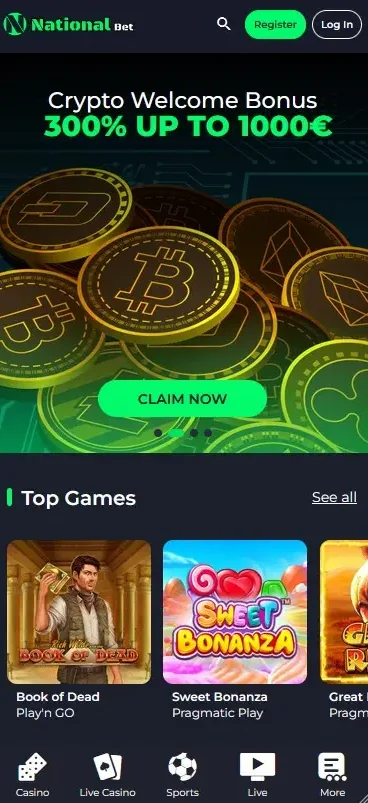
The app mirrors everything on the desktop site — same lobby, same providers, same offers. Differences kick in on the experience side: cached game assets, push notifications for bonuses, biometric login, and touch controls actually tuned for fingers (not awkward zoomed-in mouse controls).
How to Download the NationalBet APK (Android)
The Android APK isn't on the Play Store — that's normal for licensed casinos. You download it directly from the operator's site.
- Open NationalBet in your phone browser (Chrome or Samsung Internet).
- Scroll to the footer and tap Mobile / Android App.
- Tap Download APK and confirm the download.
- Open Settings → Apps → enable Install unknown apps for your browser.
- Open the APK file from your downloads folder.
- Tap Install, then launch the app once it's done.
- Log in with your account, or register from inside the app.
How to Install NationalBet on iOS (iPhone & iPad)
On iOS the app comes as a Safari web app shortcut, which behaves like a native install.
- Open NationalBet in Safari (not Chrome — Safari only).
- Tap the Share button at the bottom.
- Choose Add to Home Screen.
- Confirm the name and tap Add.
- The NationalBet icon appears on your home screen.
- Tap to launch and sign in.
NationalBet App vs Mobile Site
Both work fine. The app just feels faster after a couple of sessions because assets cache locally. Here's how they actually compare in practice:
| Feature | App | Mobile Browser |
|---|---|---|
| Speed | Faster (cached) | Reloads each session |
| Stability | Higher | Tab-dependent |
| Push bonus alerts | Yes | No |
| Biometric login | Face ID / fingerprint | Password each time |
| Install needed | Yes (~100 MB) | No |
| Updates | Manual or auto | Automatic (server-side) |
| Offline access | Limited menus | None |
System Requirements
| Platform | OS Version | Storage | Connection |
|---|---|---|---|
| Android | 8.0 or later | 100–150 MB | 4G / 5G / Wi-Fi |
| iOS (iPhone) | 13.0 or later | 120 MB | 4G / 5G / Wi-Fi |
| iPad | iPadOS 13.0 or later | 150 MB | Wi-Fi |
| Tablet (Android) | 8.0 or later | 150 MB+ | Wi-Fi |
App Features & Security

- Biometric login — Face ID on iOS, fingerprint on Android.
- Push notifications — bonus drops, tournament alerts.
- SSL encryption — same as desktop, secure end-to-end.
- Touch-optimised controls — gameplay UI built for portrait mode.
- One-tap deposits — saved payment methods after first use.
- Responsible play tools — deposit limits and self-exclusion baked in.
How to Log In to the NationalBet App
Open the app, tap Log In, enter email and password. If you've set up biometrics, Face ID or fingerprint replaces the password after first login. For password reset, common login errors and 2FA setup, see the full NationalBet login guide.
Claiming Bonuses on Mobile
All bonuses work identically in the app. Welcome offer, reloads, cashback, free spins — same terms, same flow.
Make your qualifying deposit (€10+) inside the app, the bonus credits automatically. Promo codes get entered in the cashier's bonus field, same as desktop. See the mobile welcome bonus details for terms.
Deposits & Withdrawals on the App
Same payment methods as desktop — cards, e-wallets, bank transfers, crypto. Deposits are instant, withdrawals go through standard processing. Full method-by-method breakdown is on the cash out from the app guide.